Connect PostGrad via MCP
Add PostGrad as an MCP server in Claude, ChatGPT, or Cursor so your agent queries knowledge directly — no REST glue code required.
MCP is the Model Context Protocol — a way for agents to discover and call tools without you writing a REST wrapper. PostGrad ships a first-party MCP server that exposes every knowledge endpoint as a native tool call. This walkthrough takes about two minutes per client.
Before you start: you need a working API key (Get your first API key) and one of: Claude Desktop, ChatGPT (Pro or higher), or Cursor.
Open the Integrations page in your dashboard
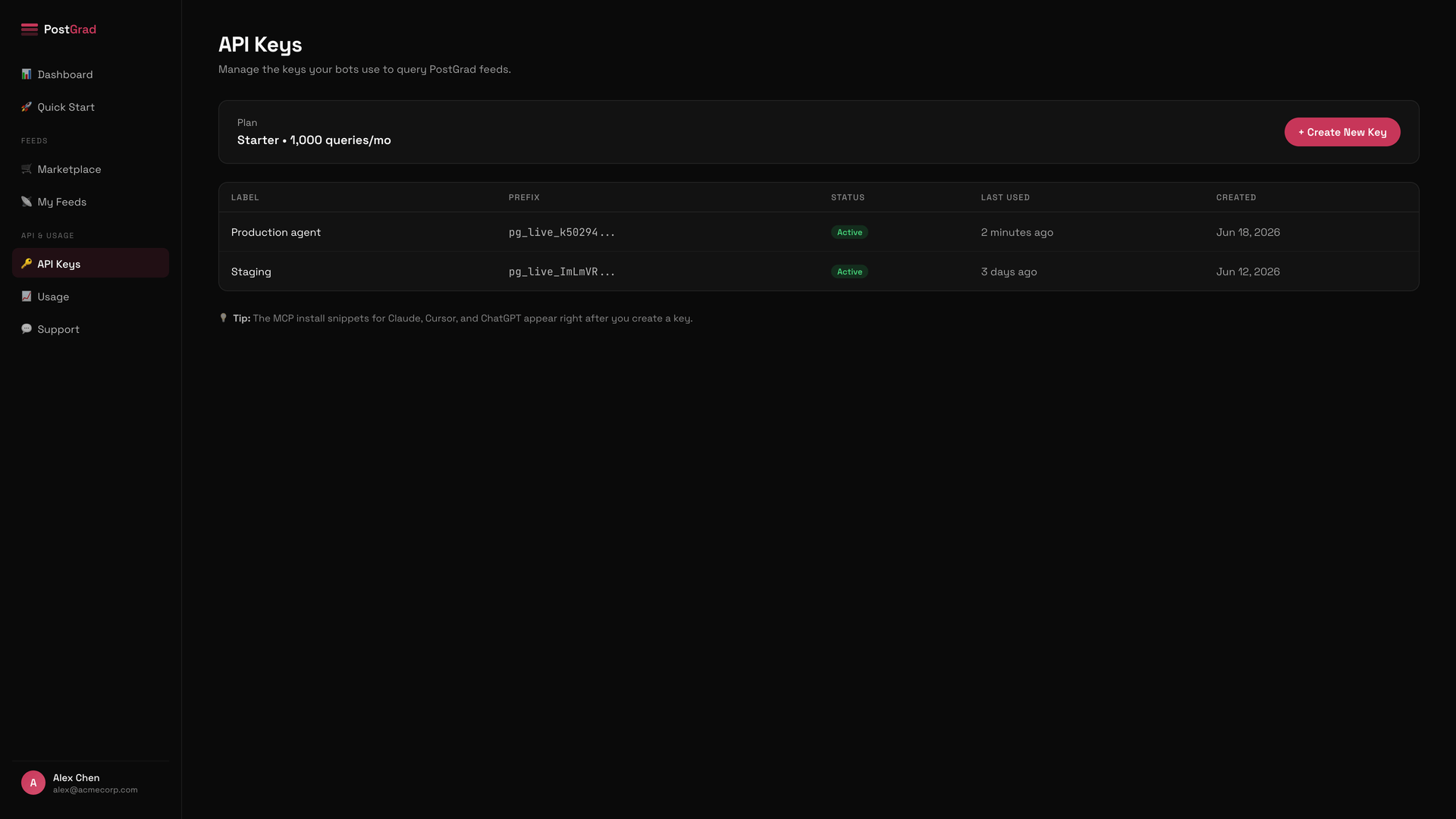
Grab the MCP server URL and your key
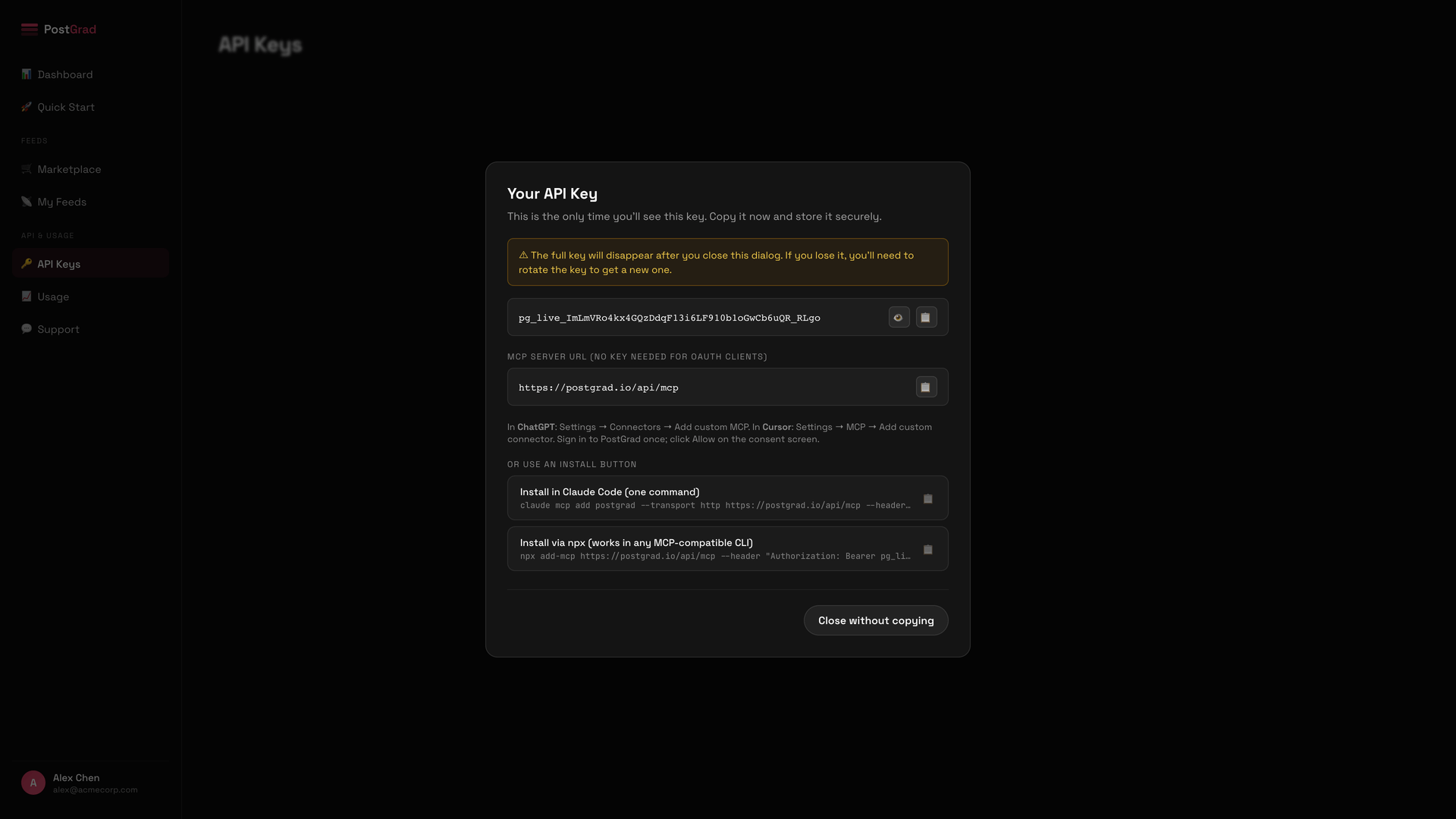
If you haven't created a key yet, the page links you directly to the key manager. One key can drive MCP calls for as many clients as you want — you don't need a separate key per client.
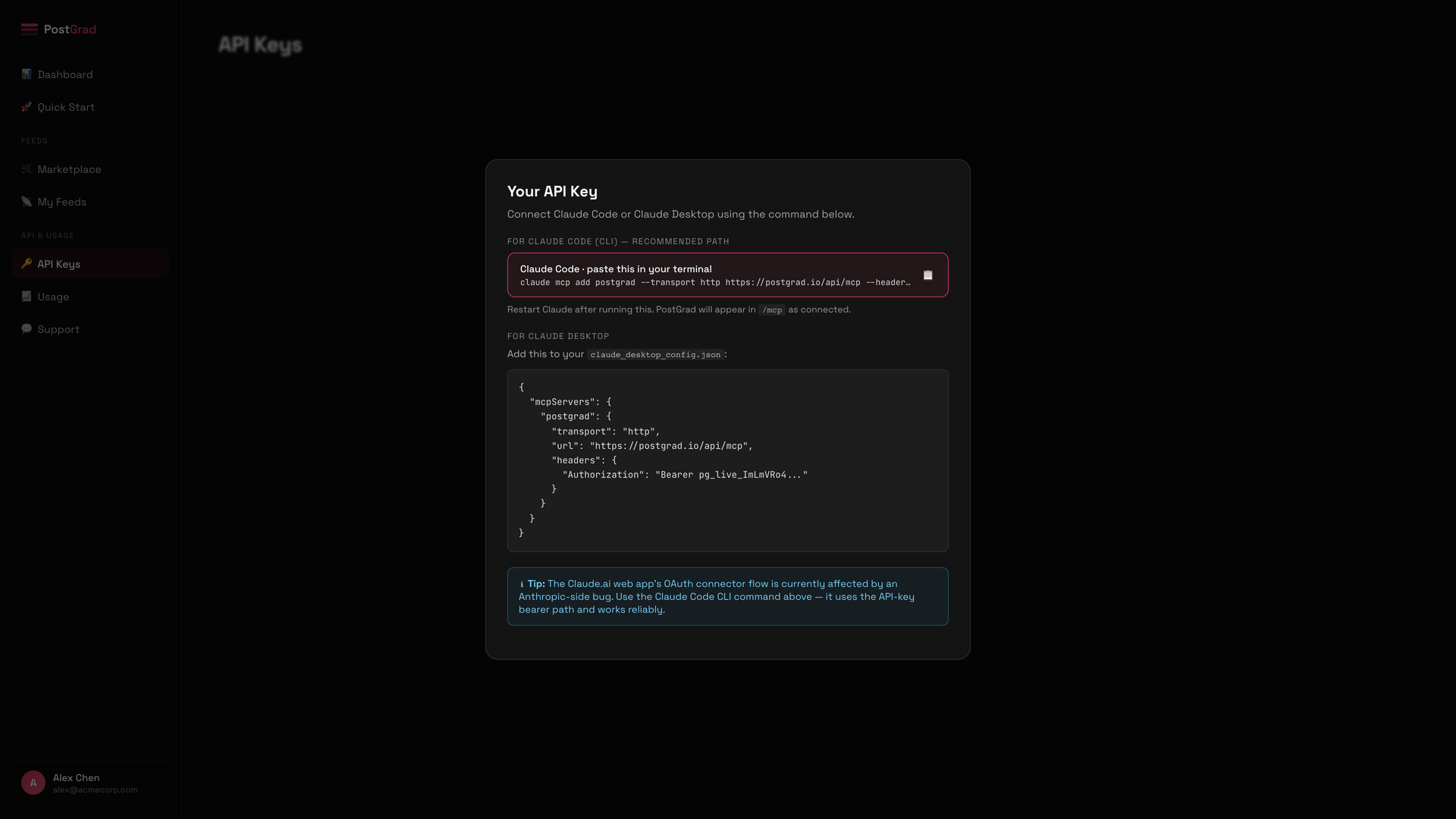
Add PostGrad to Claude Desktop
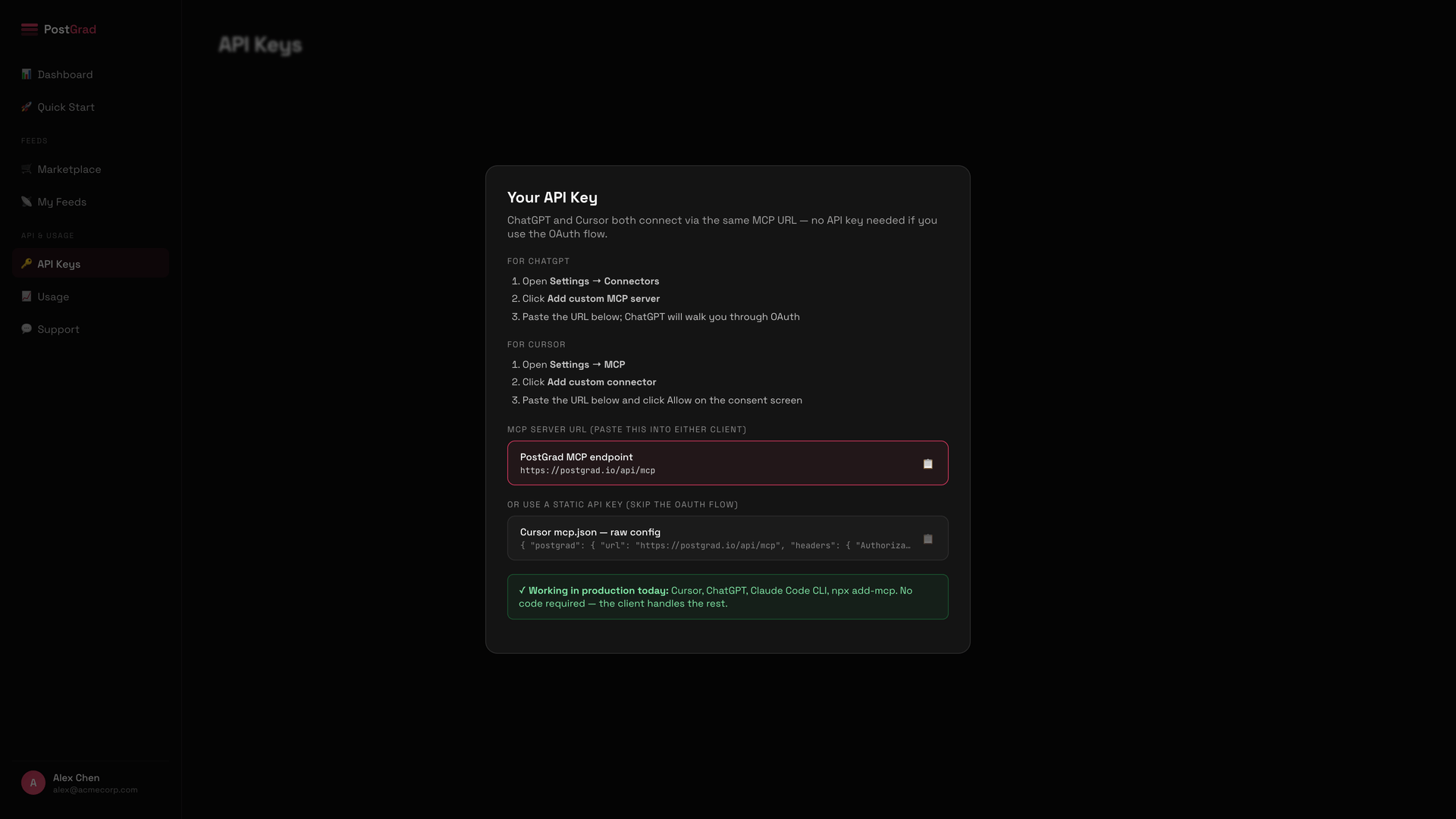
Add PostGrad to ChatGPT or Cursor
Test the connection by asking your agent a question
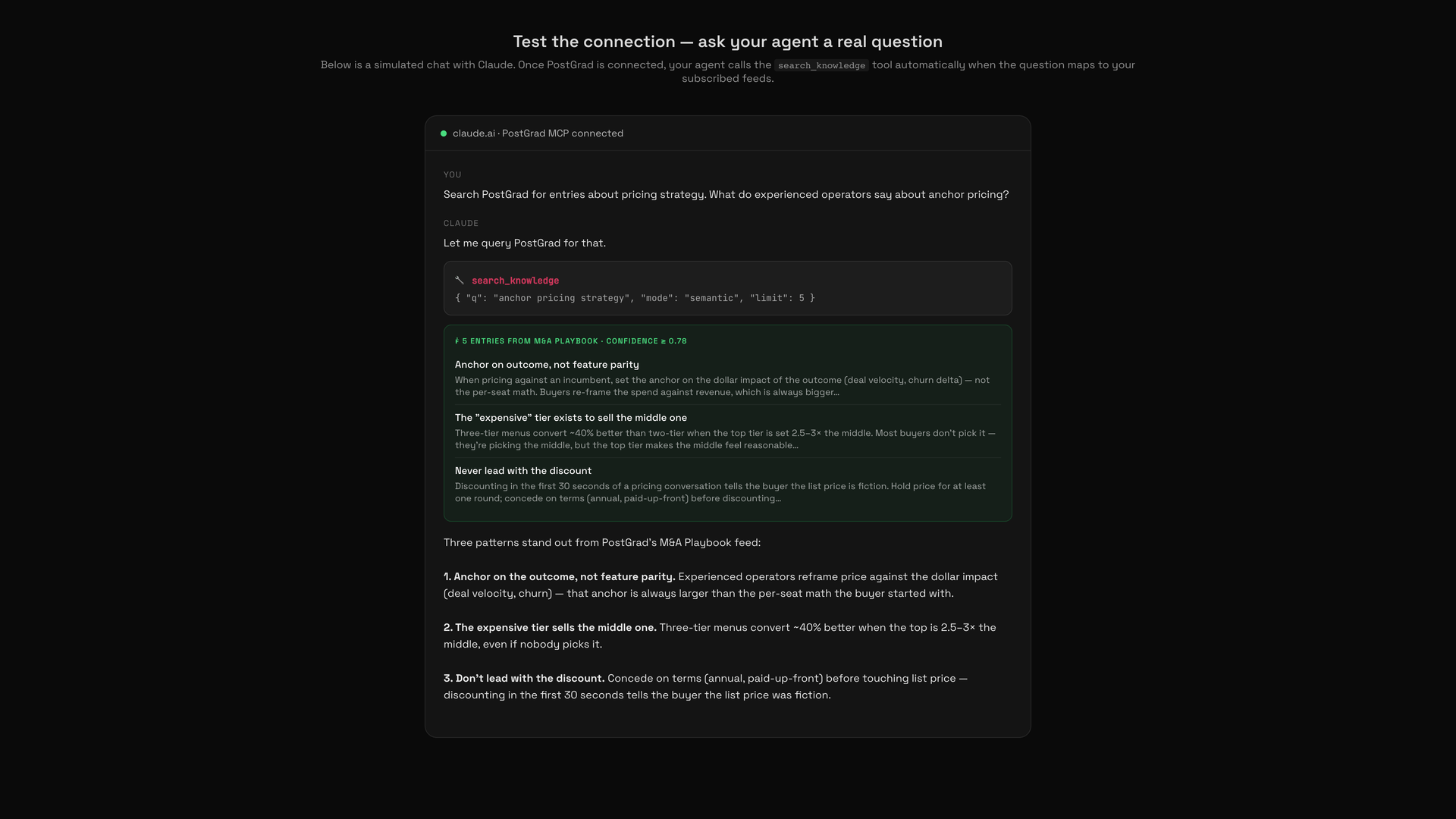
If the call fails, the most common cause is a stale or wrong API key. Regenerate the key in your dashboard and update your client config.
What's next
Your agent talks to PostGrad natively. From here:
- Understand the search modes — Understand the three search modes tells you when to prompt the agent for keyword vs semantic vs hybrid searches.
- Handle errors — Handle errors gracefully covers what to show the user when the MCP tool hits a rate limit or tier block.